Sentry Integration
🔐 Step-by-Step Sentry Setup
✅ Log in to Sentry
Go to https://sentry.io and sign in with your account.
🧱 Create Personal Token
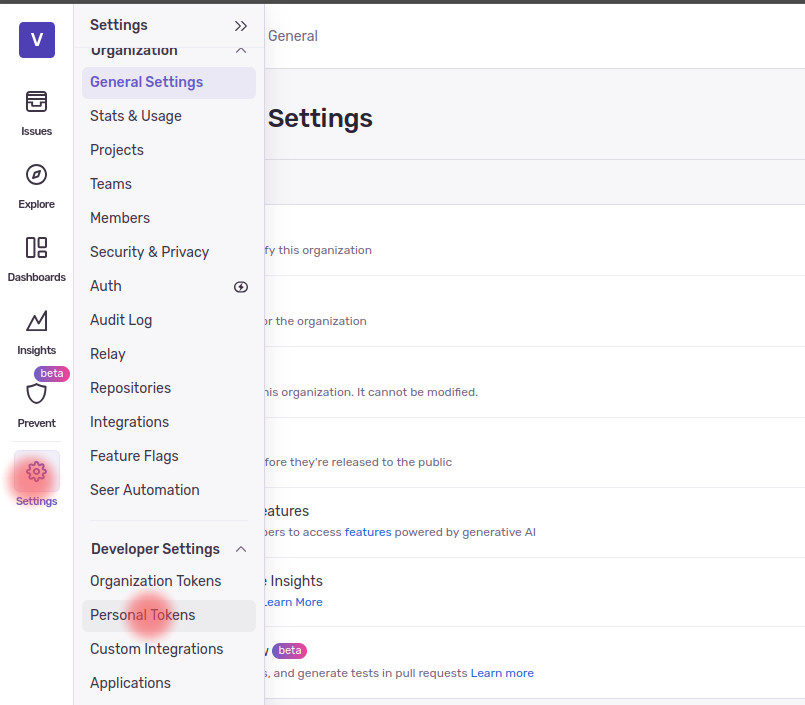
- Open Account Settings
- In the left hand menu, click on settings.
- Select Personal Tokens under Developer Settings.
- Create a New Token
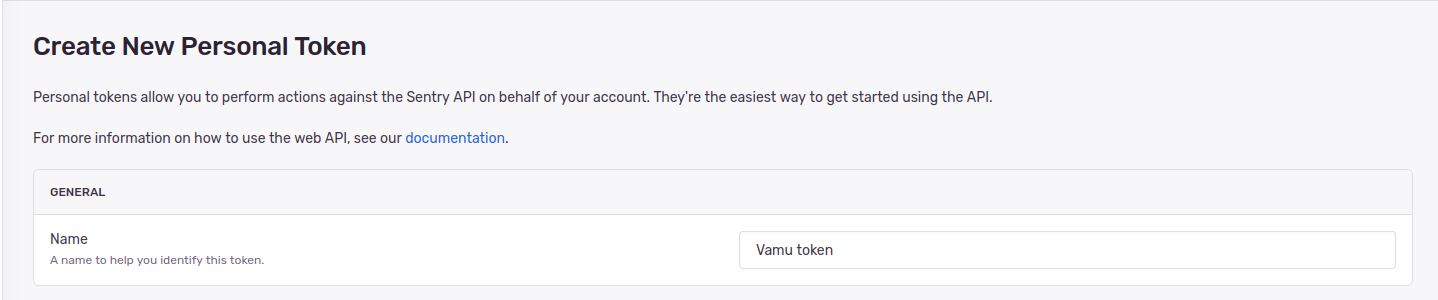
- Click on Create New Token.

- Give your token a name (e.g.,
Vamu token).
- Scopes & Permissions
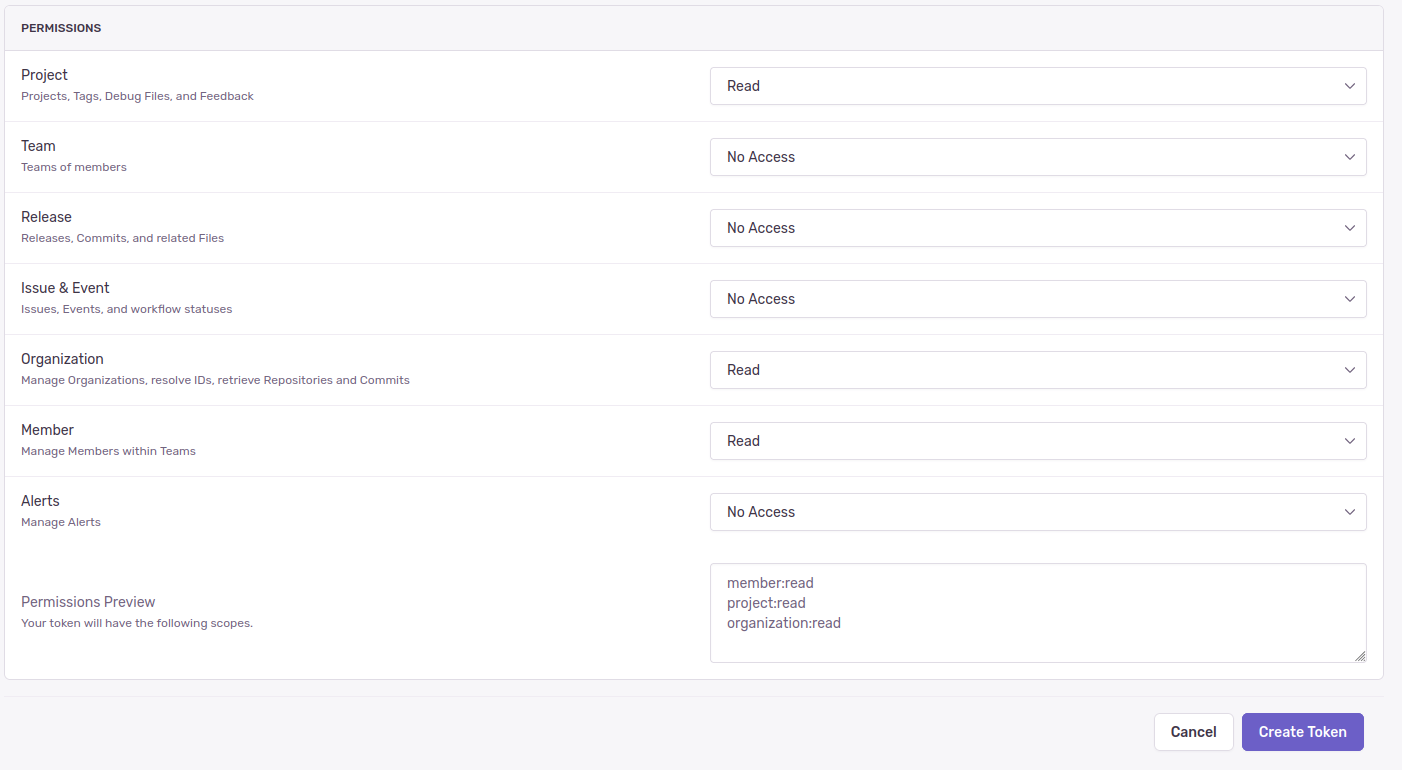
- Under Scopes, select the following:
- Project -> Read
- Organization -> Read
- Member -> Read
- Under Scopes, select the following:
💾 Save Keys
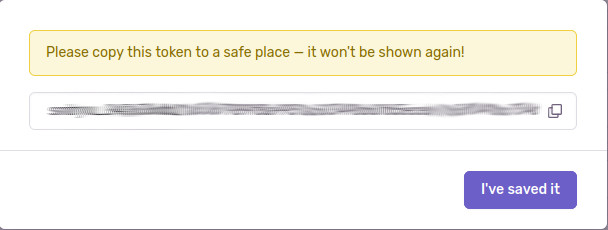
- Save and Copy the Token
- Click Create Token.
- Copy the token string immediately — you won’t be able to see it again later.
- Provide the Token
- Paste the token into it's corresponding field.
✅ Done!
You’ve now successfully set up your Sentry integration with Vamu.