DigitalOcean Spaces Integration
🔐 Step-by-Step DigitalOcean Spaces Setup
✅ Log in
Log in to your DigitalOcean Control Panel.
🔎 Open Spaces Object Storage
- From the left sidebar, go to Spaces Object Storage.

🧱 Create Access Key
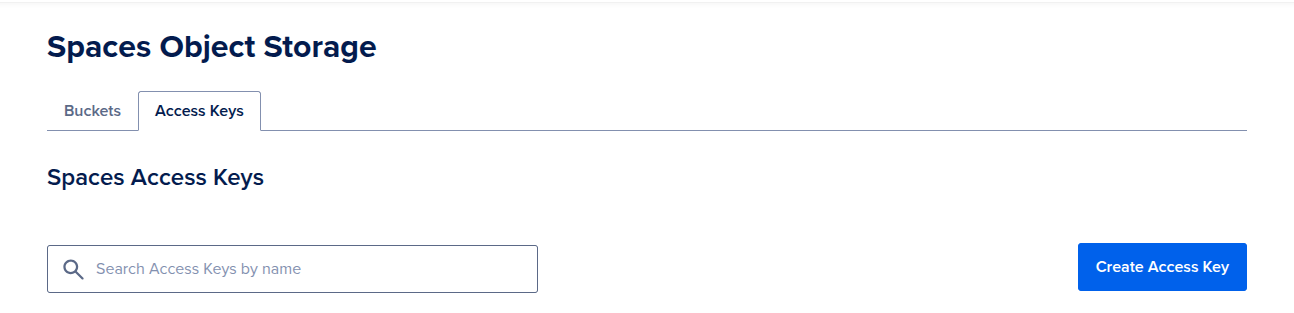
- In Spaces Object Storage screen:
- Select Access Keys tap.
- then click Create Access Key.
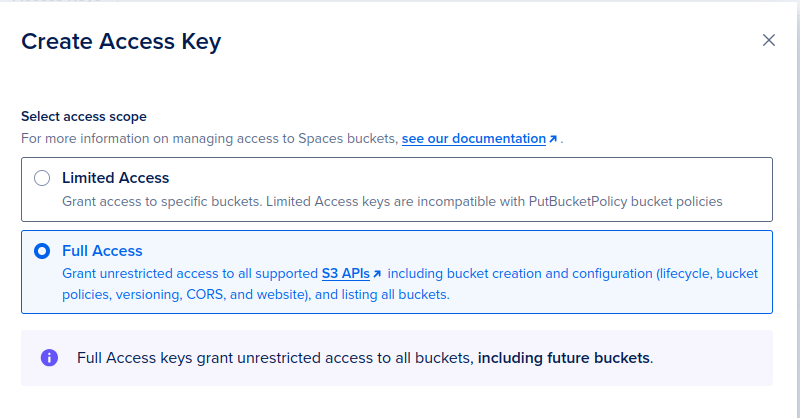
- Select Full Access choice.
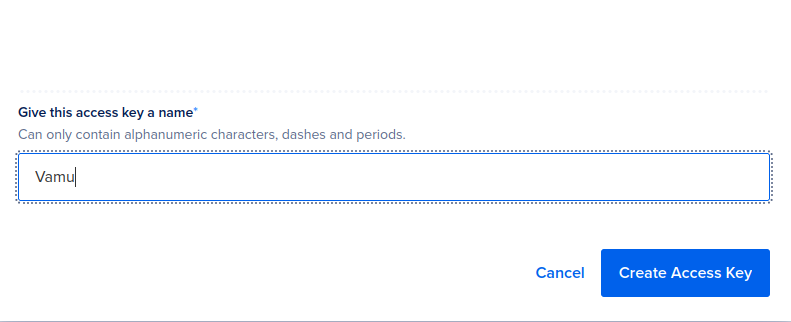
- Give your key the name Vamu then click Create Access Key.
💾 Save Keys
- Once the key is generated, copy both:
- Access Key ID
- Secret Key (shown only once—store it securely)

- Paste the copied Access Key ID and Secret Key into their corresponding fields.
✅ You’re all set! Vamu will now connect securely to your DigitalOcean Spaces.